
uCalc Review: A Practical Calculator Builder for Website Projects
At first glance, a review of uCalc may seem slightly outside the main topic of SiteBuildersCoach. This website is about learning how to plan and build websites, not about collecting random software reviews.
But uCalc fits the subject very naturally.
When students learn website creation, they usually start with pages, menus, text blocks, images, and contact forms. That is the foundation. But once a website becomes more practical, another question appears: how can the site help visitors make decisions before they contact the business?
This is where interactive elements become useful. An online calculator can help visitors estimate price, compare options, calculate delivery cost, understand project scope, or prepare a more accurate inquiry. For many small business websites, this is more valuable than another decorative section.
That is why uCalc is worth reviewing here. It is not a website builder. It is a tool for adding calculators and forms to websites, which makes it useful for students, freelancers, small business owners, and anyone learning how to create more helpful business pages.
What Is uCalc?
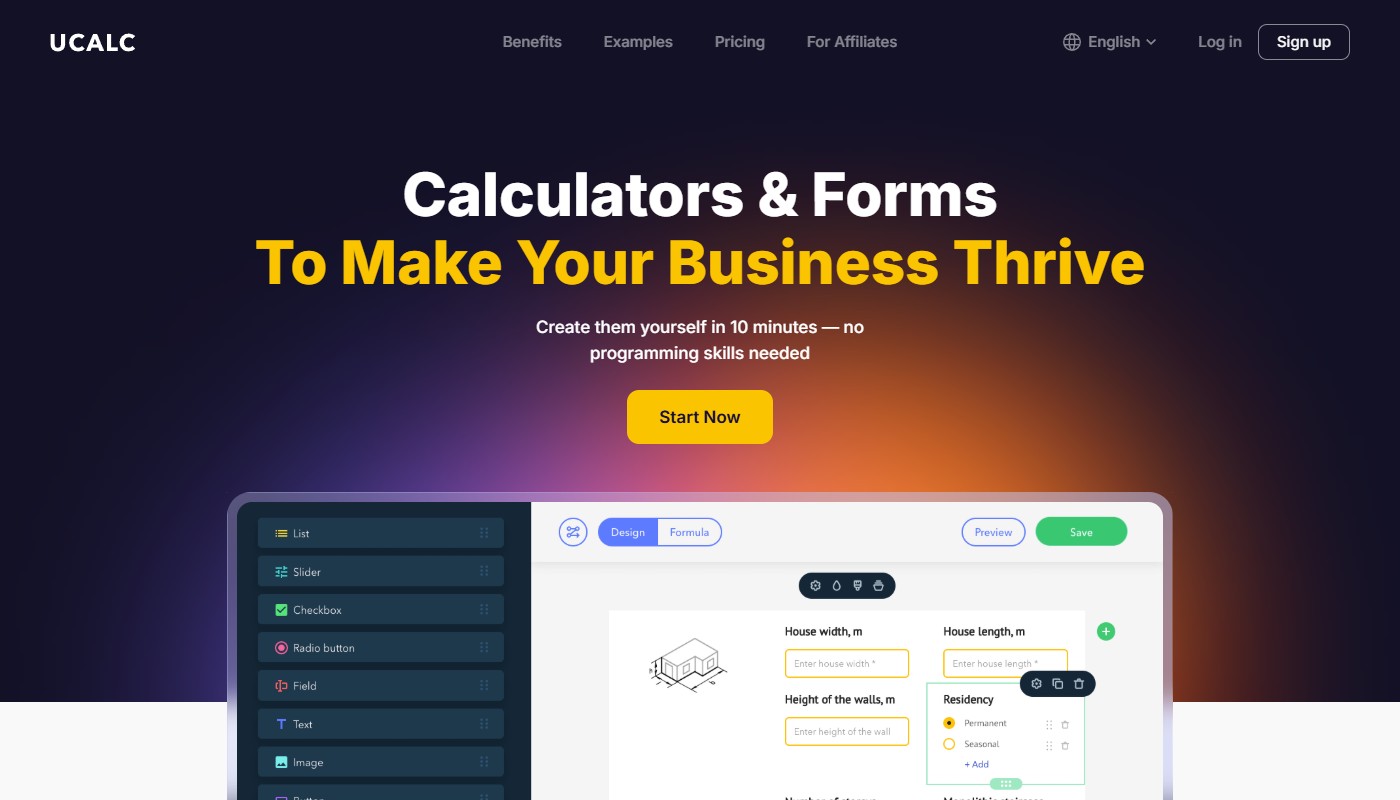
uCalc is an online builder for calculators and forms. It allows users to create interactive calculators without programming skills, using templates, ready-made elements, and a visual editor. The service can be used to build price calculators, order forms, estimate tools, delivery calculators, booking forms, feedback forms, and similar interactive website elements.
The main idea is simple: instead of hiring a developer to create a custom calculator from scratch, a website owner can assemble a calculator visually, configure formulas, adjust the design, and embed the finished widget on a website. uCalc says the calculator can be embedded into websites on different platforms using universal code.
For website creation students, this is useful because it shows how a website can move beyond static content. A page can not only describe a service, but also help the visitor calculate something relevant.
Why Online Calculators Matter on Business Websites
Many service businesses have a common problem: visitors want a price estimate, but the final price depends on several factors.
For example, a cleaning company may calculate price based on property size, number of rooms, cleaning type, and frequency. A moving company may consider distance, number of items, floors, and extra services. A web design freelancer may estimate price based on page count, content needs, design complexity, and launch support.
Without a calculator, the visitor has to send a message and wait. With a calculator, the website can provide an approximate result immediately.
This does not mean the calculator must replace a final quote. In most cases, it should provide an estimate and then invite the visitor to request a more accurate calculation.
For website projects, this creates a stronger user experience because the page becomes more useful and more interactive.
Main uCalc Features
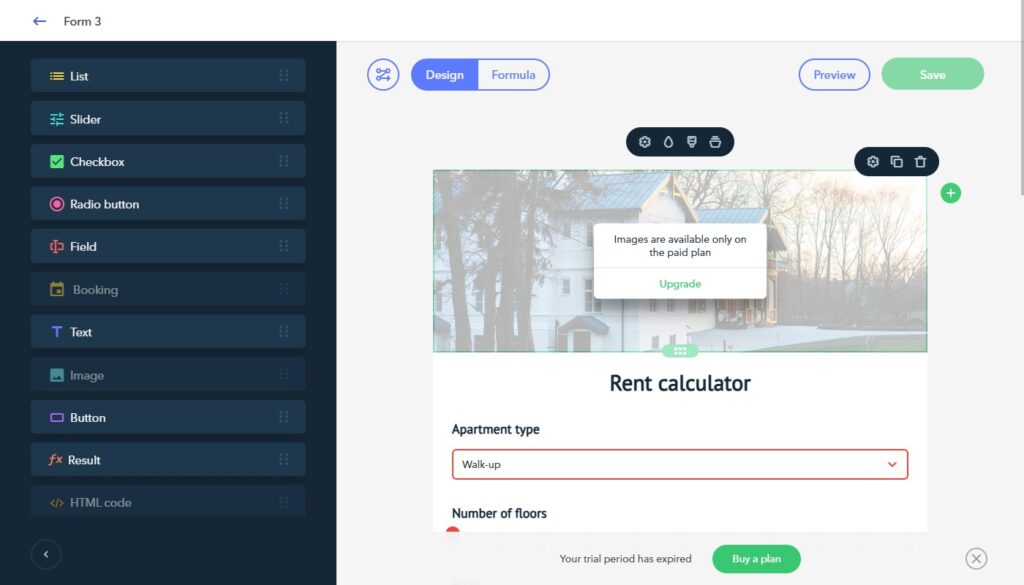
uCalc includes ready-to-use templates for different business categories and also allows users to build calculators from scratch. The visual editor supports common elements such as sliders, lists, checkboxes, contact collection, and payment-related options. (uCalc.pro)
The platform also allows website owners to configure calculations, change prices and settings without a developer, customize design elements such as colors and fonts, and receive email or SMS notifications about orders. (uCalc.pro)
Another useful feature is multi-channel use. A calculator can be embedded on a website or shared as a link through messengers, social media, or email. (uCalc.pro)
For small business websites, these features are practical because the calculator can support both user experience and lead generation.
What You Can Build With uCalc
uCalc can be used in many industries where visitors need estimates or structured forms.
A web design course project could use uCalc to create:
A website project cost calculator
A service package estimator
A landing page quote form
A redesign budget calculator
A marketing campaign estimate form
A consultation request questionnaire
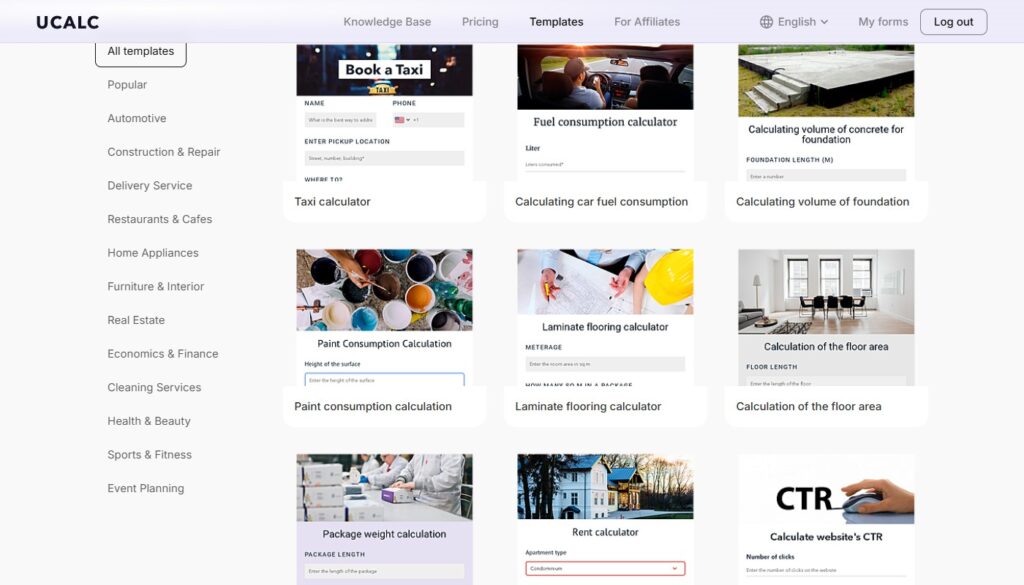
For real small business websites, uCalc can be used for cleaning estimates, moving costs, repair calculations, construction quotes, event pricing, furniture orders, real estate-related calculations, restaurant or catering estimates, and other service scenarios. uCalc itself presents examples across categories such as construction and repair, automotive, real estate, furniture and interior, cleaning, restaurants and cafes, and celebrations. (uCalc.pro)
The best use case is a page where the visitor already has a practical question: “How much might this cost?” or “Which option fits my situation?”
How uCalc Fits Into Website Creation Training
For SiteBuildersCoach, uCalc is useful as a teaching example because it connects several important website skills.
First, students must understand the business logic behind the calculator. What affects the result? Which fields are necessary? Which options should be shown? Which result should the visitor receive?
Second, students must think about page placement. A calculator should not appear randomly. It belongs on a service page, quote page, pricing section, or landing page where it supports the visitor’s decision.
Third, students must write clear labels, explanations, and result text. A calculator with confusing field names is not helpful.
Fourth, students must connect the result to a next step. After seeing an estimate, the visitor should know whether to contact the business, request a detailed quote, or send the calculation.
This makes uCalc a good practical tool for learning how interactive website elements should support the user journey.
Strengths of uCalc
The biggest strength of uCalc is that it lowers the technical barrier. Students and website owners can create calculators without writing custom code. That makes it easier to experiment with interactive website ideas.
The second strength is flexibility. The same tool can be used for simple forms, price calculators, estimate tools, and more complex calculation scenarios.
The third strength is business relevance. Many small business websites need some type of estimate or structured inquiry. A calculator can turn a passive visitor into a more informed lead.
The fourth strength is editability. uCalc allows prices and settings to be changed without going back to a developer, which is important for businesses whose rates, packages, or options change over time. (uCalc.pro)
Possible Limitations
uCalc is useful, but it should not be treated as a universal solution for every website interaction.
If a business needs a deeply custom web application, advanced internal workflows, complex account logic, or full integration with a proprietary system, a no-code calculator builder may not be enough.
There is also a planning risk. A calculator can become confusing if it includes too many fields, unclear options, or formulas that the visitor does not understand. The tool can help build the calculator, but the website owner still needs to design the logic carefully.
Another point is performance and embedding. As with any external widget, website owners should test how the calculator loads and behaves on the actual site, especially on mobile devices.
Best Practices for Using uCalc
Start with one clear calculation goal. Do not try to make the first calculator handle every possible business scenario.
Keep the number of fields reasonable. Ask only for information that changes the result or helps prepare the next step.
Explain that the result is an estimate if the final price may vary.
Place the calculator near relevant content. For example, a redesign calculator should appear on a website redesign page, not in an unrelated blog post.
Test the calculator on mobile devices before publishing. Buttons, sliders, fields, and result blocks should be easy to use on a phone.
Add a clear call to action after the result. The user should know what to do next.
Who Should Try uCalc?
uCalc can be useful for small business owners who want to add estimates or quote tools to their websites without custom development.
It can also be useful for freelancers and beginner web creators who want to offer more interactive website sections to clients.
For students, uCalc is a good learning tool because it teaches that website creation is not only about layout. A good website can also help users calculate, compare, choose, and submit better inquiries.
Final Verdict
uCalc is a practical calculator and form builder for websites. It is especially useful when a business needs price estimates, service calculators, quote forms, order forms, or interactive decision tools without building everything from scratch.
For SiteBuildersCoach readers, the value is educational as well as practical. uCalc shows how a website can become more helpful when it answers a visitor’s question directly on the page.
It is not a replacement for strong website structure, clear service descriptions, or good content. But when used in the right place, uCalc can make a business website more interactive, more useful, and more effective for lead generation.